
Everything you need to scan, organize, and protect your documents.
Powerful scanning tools, authenticated AES-256-GCM encryption, and on-device intelligence. Every feature is designed to work entirely on your phone.
Scanning
Capture documents quickly and accurately with ML-powered detection that automatically finds edges and corrects perspective.
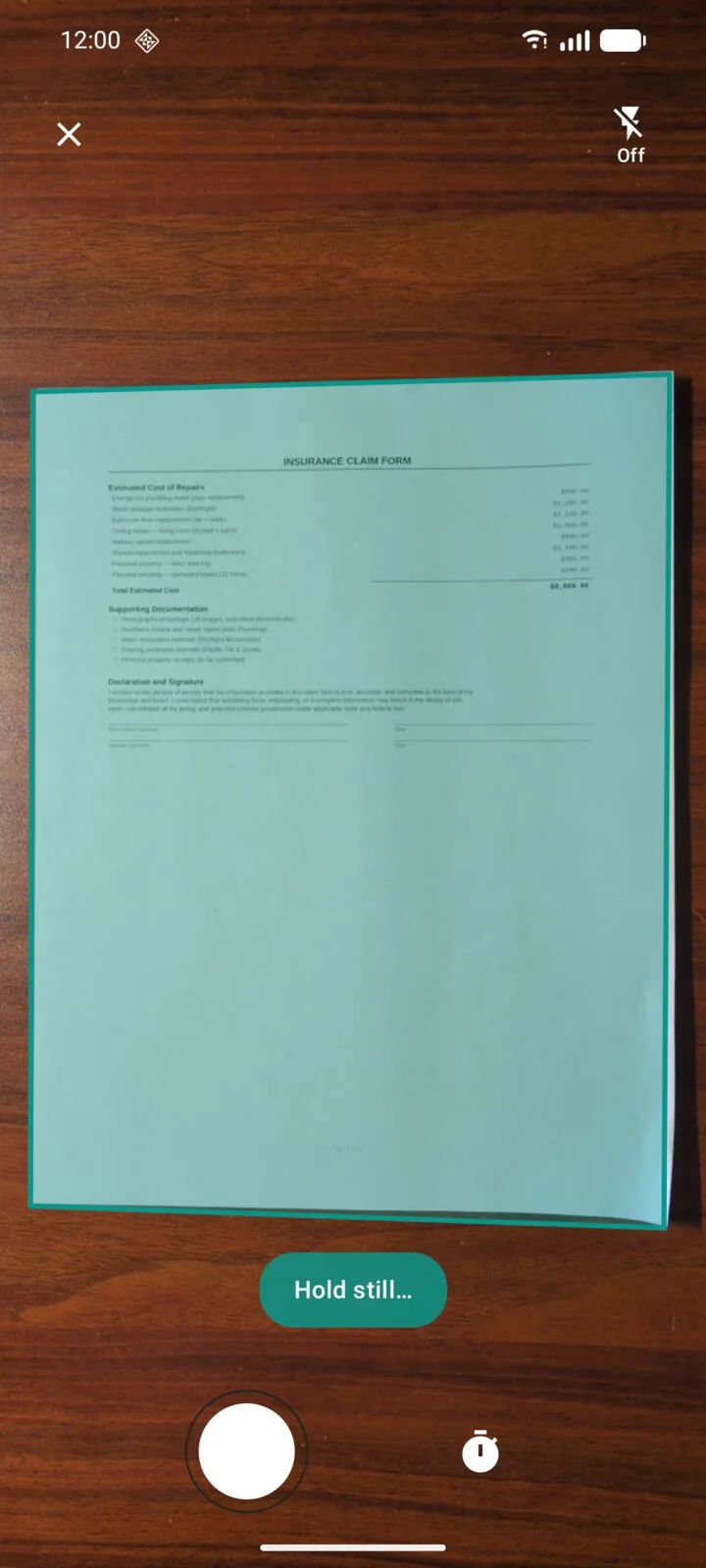
Auto Document Detection
TensorFlow Lite powers real-time edge detection, automatically identifying document boundaries as you scan.
Perspective Correction
OpenCV automatically corrects skew and perspective distortion for perfectly flat, readable scans.
Multi-Page Documents
Scan multi-page documents in a single session. Add, remove, reorder, and rotate pages at any time.
Gallery & File Import
Import existing photos from your gallery or files from your device to add to your document library. Single-pick import is free; multi-pick (batch import) is a Pro feature.
Batch Scanning Pro
Rapid-fire capture mode keeps the camera open between shots so you can scan a stack of pages in one continuous session, then review and reorder them all at once.
Image Processing
Enhance your scans with built-in filters and editing tools. Every adjustment is processed locally on your device.
Filters
Original, Auto Enhance, Grayscale, and Color on every tier. The B&W (Sauvola) filter, tuned for crisp document binarization, unlocks on Pro. All processing happens on-device.
Rotate & Crop
Rotate pages to any orientation and fine-tune crop boundaries after scanning.
Organization
Keep your documents tidy with a powerful library, search, folders, and more.
Document Library with Search
Browse all your scanned documents in a visual library. Use search to find any document by name instantly.
Rename & Delete
Rename documents for easy identification, and delete anything you no longer need.
Page Reorder, Delete & Rotate
Rearrange pages within a document, remove unwanted pages, or rotate individual pages.
Folders
Organize documents into folders for structured, easy-to-navigate storage.
Tags Pro
Apply many-to-many color-coded tags across folders. Filter the library to documents matching any combination of tags.
Export
Share and save your documents in multiple formats with configurable options and password protection.
PDF Export
Export documents as PDF files with configurable page sizes: Letter, A4, or Fit to scan. Choose an export size (Small, Medium, Original) to keep files emailable; see how to reduce scanned PDF size.
Image Export (JPEG/PNG)
Export individual pages as high-quality JPEG or PNG image files.
Text Export Pro
Export recognized text (via OCR) as plain text files for easy editing and sharing.
Password-Protected Exports Pro
Add AES-256 password protection to exported PDFs, and AES-256 ZIPs for image and text exports, all encrypted on the phone. How to password protect a PDF on Android.
Watermarks Pro
Add custom watermarks to your exported documents for branding or confidentiality.
Annotation Pro
Mark up your documents with a full suite of annotation tools. Add notes, highlight key sections, redact sensitive information, and sign documents.
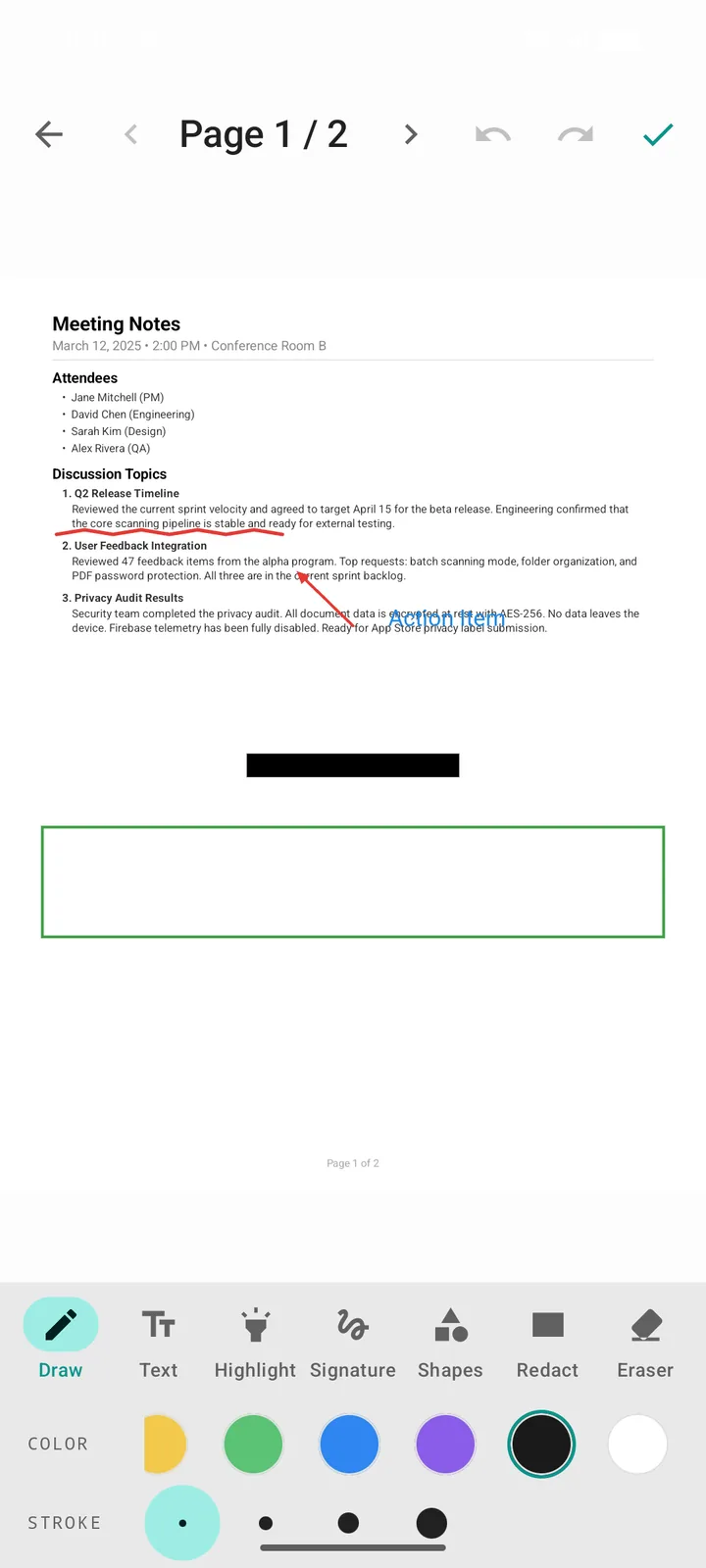
Ink Drawing
Draw freehand annotations directly on your documents with customizable colors and stroke widths.
Text Labels
Add typed text annotations anywhere on a page for notes, labels, or comments.
Shapes (Rectangles & Arrows)
Highlight areas with rectangles or point to specific details with arrows.
Redaction
Permanently redact sensitive information before sharing. Exports bake each box into the page pixels and drop the recognized text beneath it, and Review & Redact can find sensitive values for you. See our guide to redacting documents on Android.
Signatures
Create a signature image and place it on a document before exporting.
OCR Text Recognition
Extract text from scanned documents using on-device machine learning. No data is sent to any server. Manual OCR, viewing, copying, and in-document search are free; auto-OCR and library-wide content search are Pro.
On-Device Recognition
Text recognition is powered by ML Kit and runs entirely on your device. Your documents are never uploaded.
In-Document Search
Run OCR on a single page or a whole document, then search for words or phrases inside that document to find exactly what you need.
Auto-OCR on Save Pro
Automatically extract text from every new scan as it's saved, so your library is always fully indexed without per-document opt-in.
Library-Wide Content Search Pro
Search across every document in your library by recognized text content, not just by document name.
Text Copy & Export
Copy recognized text to the clipboard from any document (free), or export it as a plain text file for use in other applications (Pro).
Security
Multiple layers of encryption and security controls, all managed on your device.
AES-256-GCM via Google Tink
The authenticated-encryption standard specified in NIST SP 800-38D. Implemented via Google's Tink cryptographic library.
Android Keystore
Encryption keys are generated and held in the hardware-backed secure enclave on your device. Keys never leave the device or become available to the app process.
SQLCipher encrypted storage
Document metadata lives in an encrypted SQLCipher database. Your library index is protected at rest alongside your files.
Biometric or PIN
Lock the app with your fingerprint, face unlock, or a PIN. Blocks anyone with your unlocked phone from opening DocuScanr.
Offline recovery key
Generate a recovery key that you store yourself. It's the only thing that can decrypt your encrypted backup files on a new device.
Encrypted backup files
Create fully encrypted backups of every document, page, folder, tag, and annotation, and verify any archive before you need it. Restore on the same or a new device with your recovery key. Pro can keep a folder of automatic backups current on its own. How to back up and move your scans.
Screenshot and screen-recording prevention
Sensitive screens are protected from screenshots and screen recording by default, so your documents don't surface in thumbnails, recents, or casting sessions.
Sensitive Content Detection
On-device scanning for personal information before you share a document.
SSNs, credit cards, passport numbers, and more
Turn on Sensitive Content Warnings and every document is scanned on-device for Social Security numbers, credit card numbers, bank account numbers, phone numbers, emails, and passport numbers. Off by default; one switch in Settings enables it. No text leaves your device during detection.
A banner before you export
Before you export your tax return, DocuScanr tells you it contains (for example) three SSNs, and recommends password protection. You choose what to do next; nothing is blocked or sent anywhere.
One tap from warning to redaction Pro
A flagged document offers Review & Redact: a checklist of detected items, grouped by page and shown only as masked previews. Approve the ones to cover and every occurrence is blacked out. The redactions stay adjustable in the annotation editor, and exports remove the recognized text beneath each box.
Privacy
Privacy is our core principle. We do not collect, transmit, or store your data. New to scanner privacy? Start with our guide: do scanner apps upload your documents?
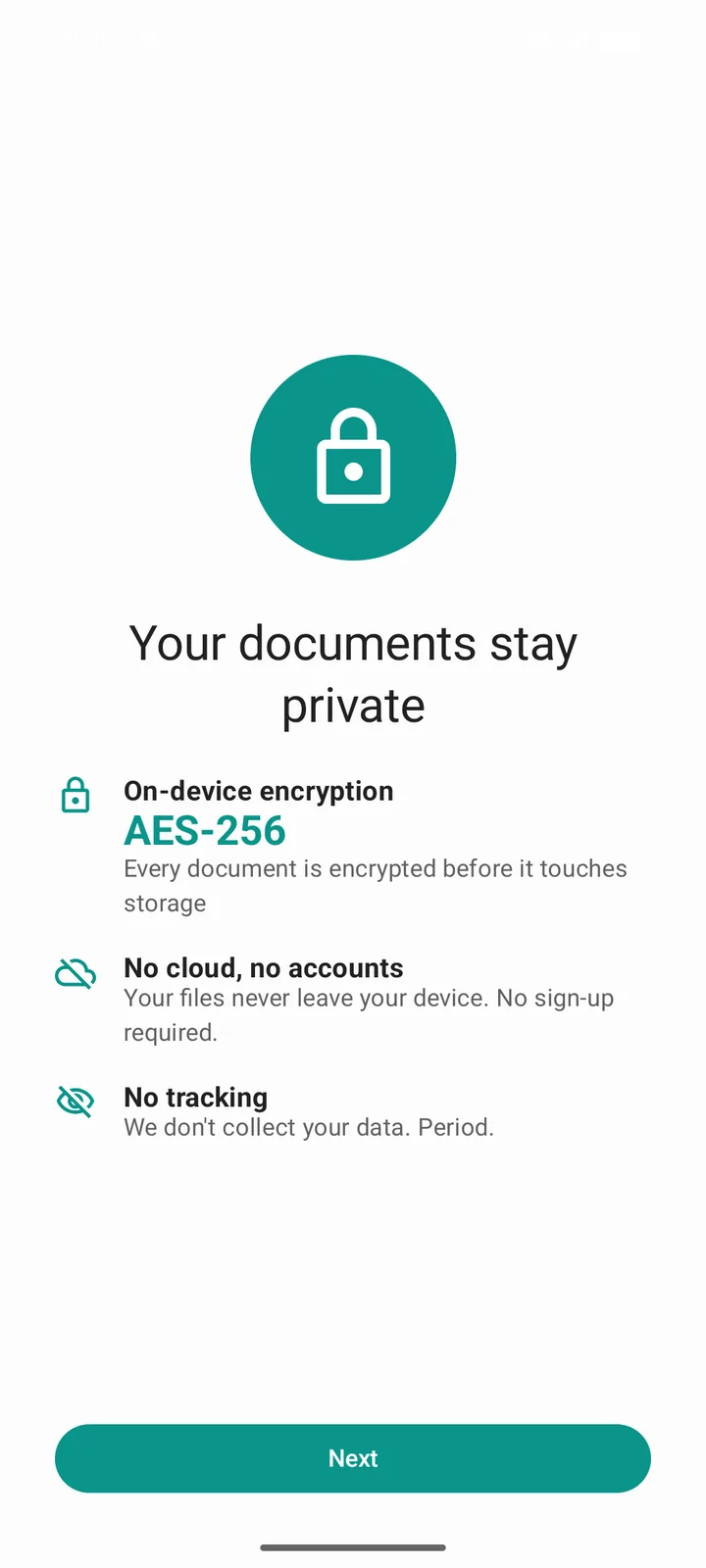
Documents never leave your device
No cloud servers, no syncing, no remote storage. Every scan, edit, and export happens locally.
Install and scan immediately
No email, no phone number, no personal information collected. There's no account for us to look up because there's no account.
No analytics, no ads, no third-party telemetry
No analytics SDKs, no ad SDKs, no third-party telemetry. We removed the bundled Google upload component from the app entirely, so even SDK usage statistics cannot leave your device, and we verify that claim by measurement. Read the network audit.
Crash reporting is off by default
Sentry is disabled until you explicitly opt in. When enabled, only scrubbed technical data is transmitted (no document content, no PII).
Camera is the only permission we prompt you for
We never ask for contacts, location, microphone, SMS, phone, or storage.
Only for billing and opt-in crash reports
Play Billing handles purchases and restores over IPC with the Play Store app. Sentry crash reporting is off by default. Nothing else touches the network, and no document content ever does.

Next: see pricing