
Android · On-device only
Your documents, encrypted and private.
An Android document scanner with AES-256 encryption on your device, OCR and annotation on-device, and encrypted backup. No accounts, no cloud, no subscription.

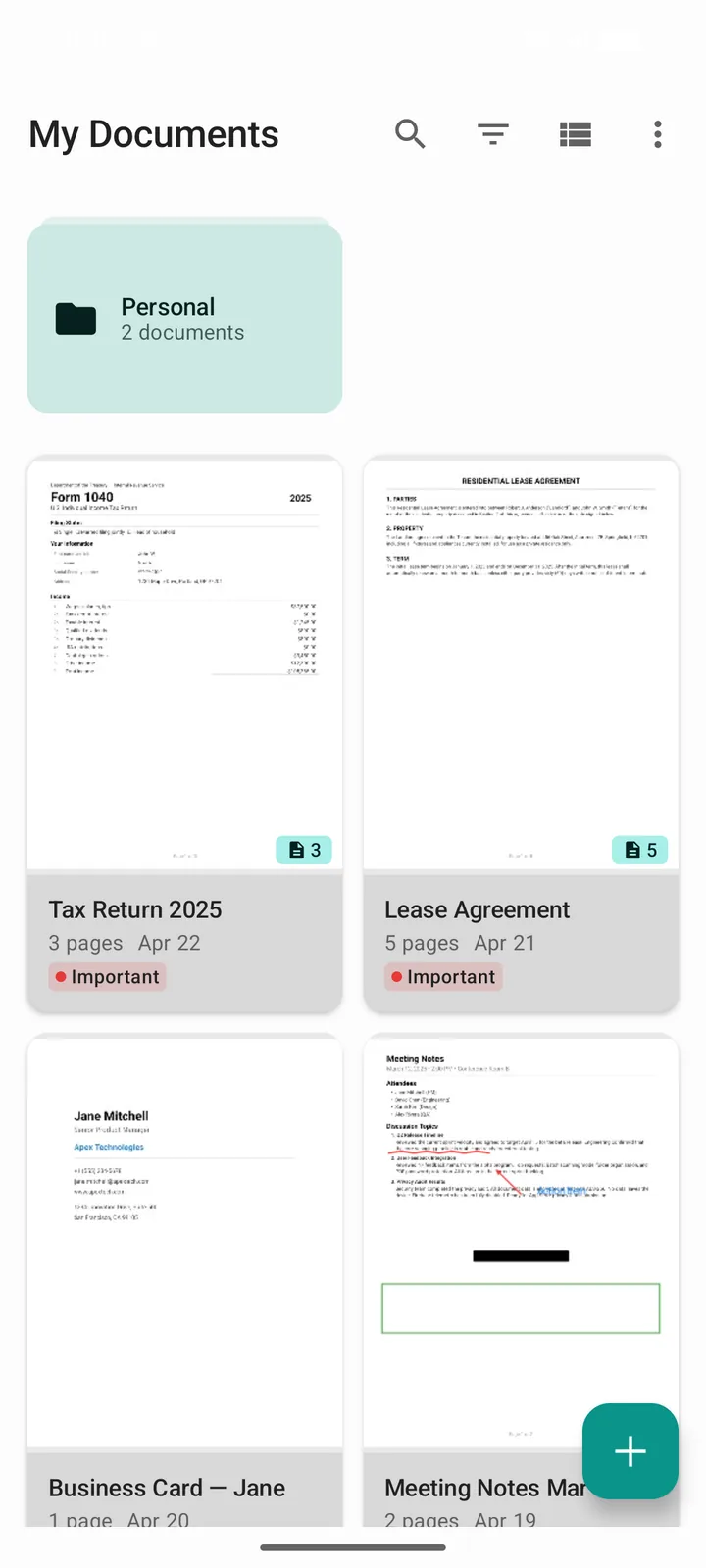
Everything you need to scan, organize, and protect your documents.
Built from the ground up with privacy at its core. Every feature is designed to keep your data safe and under your control.
On-Device Encryption
All documents are encrypted with AES-256-GCM via Google Tink, stored in a SQLCipher database, and secured by Android Keystore. Your data never leaves your device.
Sensitive Content Detection
Scans your documents on-device for personal information like SSNs, credit cards, and bank account numbers, and warns you before exporting. Off by default; one switch enables it.
Encrypted Backup
Create fully encrypted backups of all your data. Restore on a new device with your recovery key. Your backup files are protected with the same AES-256 encryption.
Smart Document Detection
ML-powered edge detection using TensorFlow Lite finds your document automatically. OpenCV handles perspective correction and image enhancement, all on-device.
OCR Text Recognition
Extract text from scanned documents using on-device ML Kit. Search within documents, copy text, and export recognized content.
PDF Export & Annotation
Export to PDF with configurable page sizes. Annotate with ink, text labels, shapes, redaction tools, and signatures, all within the app.
Privacy is not a feature. It's the foundation.
We built DocuScanr on a simple principle: your documents belong to you and only you. Here is what that means in practice.
No Cloud Uploads
Documents are processed and stored entirely on your device. Nothing is ever uploaded to any server. We measured it.
No Accounts Required
Start scanning immediately. No sign-up, no email, no personal information collected. Ever.
No Tracking or Ads
No analytics, no advertising SDKs, no third-party trackers. Crash reporting is opt-in only and disabled by default.
One Permission Prompt
Camera is the only permission we ask you to approve. Not contacts, not location, not microphone, not SMS, not storage. The network and license entries on the Play listing belong to bundled Google components, with measured traffic of zero bytes.